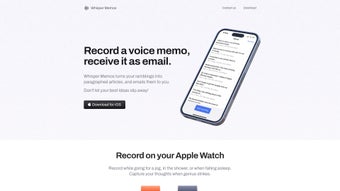

Download Whisper Memos – AI Voice Memo Transcription Tool
Overview
Whisper Memos is a cloud‑based web application that turns spoken ideas into accurate, searchable text in a matter of seconds. Powered by cutting‑edge artificial intelligence, the platform captures voice memos directly from a browser or mobile device, processes the audio through a robust speech‑to‑text engine, and delivers a polished transcript to the user’s inbox. Whether you are a busy executive trying to record meeting highlights, a student looking to digitize lecture notes, or a journalist needing quick interview drafts, Whisper Memos eliminates the friction of manual typing.
The full‑version license unlocks an intuitive interface, unlimited transcription minutes, and advanced formatting options such as speaker labeling and timestamp insertion. Security is baked into the service: all recordings are encrypted in transit, stored temporarily for processing, and then deleted after delivery, ensuring that sensitive information remains private. By streamlining the capture‑to‑text workflow, Whisper Memos boosts productivity, reduces the chance of lost ideas, and creates an organized knowledge base that can be searched, shared, or archived with ease.
Its web‑first design means there is no heavy software to install, and the responsive layout adapts to desktops, laptops, tablets, and smartphones, making it a truly portable solution for modern knowledge workers.
Key Features
- Real‑time AI transcription: Uses a state‑of‑the‑art neural network to convert speech to text with >95% accuracy for multiple accents.
- Multi‑language support: Handles English, Spanish, French, German, and Mandarin, expanding its usefulness for global teams.
- Instant email delivery: Completed transcripts are automatically emailed as a clean .txt or .docx attachment.
- Speaker identification: Detects and labels different speakers, ideal for meeting minutes and interview notes.
- Timestamp insertion: Adds precise time markers, allowing users to jump back to the original audio segment if needed.
- Secure data handling: All uploads are encrypted via TLS 1.3, processed on secure servers, and purged after 24 hours.
- Unlimited transcription minutes (full version): No hidden caps or pay‑per‑minute fees.
- Responsive web UI: Works flawlessly on Chrome, Edge, Safari, and Firefox across desktop and mobile devices.
- Export options: Export to PDF, Word, or plain text, and integrate with cloud storage services like Google Drive.
- Customizable shortcuts: Keyboard shortcuts for start/stop recording speed up the workflow for power users.
Installation & Usage Guide
Getting started with Whisper Memos is intentionally straightforward, because the service is delivered entirely through a web browser. Follow these steps to begin transcribing your voice memos:
- Create an account: Visit whispermemos.com and click “Sign Up.” Provide a valid email address, set a secure password, and confirm your account via the verification link sent to your inbox.
- Select a plan: Choose the free trial to test the core features or upgrade to the full version for unlimited minutes and premium tools. Payment is processed through Stripe, supporting major credit cards.
- Grant microphone access: When you open the dashboard, the browser will request permission to use your device’s microphone. Click “Allow” to enable recording.
- Record your memo: Click the red “Record” button, speak clearly, and press “Stop” when finished. The interface shows a live waveform, giving visual feedback that the audio is being captured.
- Choose transcription settings: Pick the language, enable speaker detection, and decide whether you want timestamps. These options appear in a side panel and can be adjusted before you submit the audio.
- Submit for processing: Hit “Transcribe.” The AI engine typically returns a draft within 30‑60 seconds for a 5‑minute memo. A progress bar indicates the status of the operation.
- Review & edit: Once the transcript arrives, a preview window allows you to make quick edits, add comments, or flag sections for further review.
- Receive the final copy: Click “Send to Email,” and the polished transcript is delivered to the address associated with your account. You can also download it directly from the dashboard.
- Organize & share: Use the built‑in folder system to categorize memos, or share a secure link with teammates who need access.
Because Whisper Memos runs in the cloud, there are no updates to install; improvements are rolled out automatically. For users who prefer a desktop shortcut, the site offers a “Add to Home Screen” option on both Windows and macOS, creating a pseudo‑app that launches the service in a dedicated window.
Compatibility, Pros & Cons
Whisper Memos is a web‑first solution, which means it works on any operating system that supports a modern browser. Tested browsers include Chrome 115+, Edge 115+, Safari 16+, and Firefox 115+. The responsive design adapts to screen sizes ranging from 12‑inch laptops to 6‑inch smartphones, making it equally effective on Windows, macOS, Linux, Android, and iOS devices. No additional plugins or extensions are required, and the service complies with WCAG 2.1 accessibility standards, ensuring a smooth experience for users with visual or motor impairments.
Pros
- High transcription accuracy thanks to advanced AI models.
- Zero‑install, cross‑platform accessibility via any modern browser.
- Secure handling of audio files with end‑to‑end encryption.
- Unlimited minutes in the full version removes the need for micro‑transactions.
- Automatic email delivery and multiple export formats streamline workflow.
- Speaker detection and timestamps add professional polish to meeting notes.
- Responsive UI works well on both desktop and mobile devices.
Cons
- Requires a stable internet connection; offline transcription is not supported.
- Free tier limits the number of minutes per month, which may be restrictive for heavy users.
- While many languages are supported, accent‑specific tuning is still a work in progress.
- No native desktop client for users who prefer a standalone application.
- Pricing for the full version is a one‑time fee, which may be higher than subscription‑based competitors.
Frequently Asked Questions
How secure is my audio data on Whisper Memos?
All audio files are encrypted using TLS 1.3 during upload, processed on secure servers, and automatically deleted 24 hours after transcription. Whisper Memos does not store recordings longer than necessary, ensuring that sensitive information remains private.
Can I use Whisper Memos on my smartphone?
Yes. The web application is fully responsive and works on Android and iOS browsers. You can also add a shortcut to your home screen for a native‑app feel.
What languages are supported for transcription?
Whisper Memos currently supports English, Spanish, French, German, and Mandarin. Additional languages are being added as the AI model is expanded.
Is there a limit on transcription length?
The free tier caps usage at 30 minutes per month. The full‑version license offers unlimited minutes, allowing you to transcribe hour‑long recordings without interruption.
How quickly can I expect a transcript?
Typical processing time is 30‑60 seconds for a five‑minute memo. Larger files are processed proportionally, but most users receive results within two minutes.
Conclusion & Call to Action
Whisper Memos bridges the gap between spoken thought and written documentation with a blend of AI accuracy, security, and convenience. Its web‑based architecture eliminates the need for bulky installations, while features like speaker identification, timestamps, and multi‑language support make it a versatile ally for professionals across industries. Although an internet connection is required and the free tier has modest limits, the one‑time purchase for the full version unlocks unlimited transcription power at a reasonable price. If you spend time capturing ideas on the go, organizing meeting notes, or turning interviews into drafts, Whisper Memos can dramatically reduce the time you spend typing and increase the reliability of your records.
Ready to transform your voice memos into searchable text? Download Whisper Memos today, start a free trial, and experience the boost in productivity that AI‑driven transcription delivers.



.png)



